Hosting vs Domain Practical Guide to Launch Your Website
The difference between hosting and domain is one of the first confusions people face when they decide to put a presence on the internet. The domain is the address you give to customers. Hosting is the space where your website lives. Understanding this difference clearly will save time, money and frustration when you build a website, set up email or move hosts.
Understand hosting 🖥️
Hosting is the rented space on a computer (a server) where all the files that make your website are stored. Think of it as booking a shop or an office in a building. The landlord provides the physical space, electricity and security; you furnish it and decide how it looks and what you sell.
Technically a host is a physical machine or a cluster of machines in a data centre. These servers run specialised software to serve web pages, handle email and deliver files. Each server receives an IP address, a numeric label such as 172.217.15.14. That IP is how the internet locates the server. Because numeric IPs are hard to remember, domains exist to map human-friendly names to those numbers.
Hosting is a paid service. You do not own a server forever; you rent a plan that fits your needs. Plans vary by:
- Storage – how much disk space your site can use (images, videos, backups).
- Bandwidth – how much traffic or data can be transferred each month.
- Processing power and memory – important for busy sites and applications.
- Email – whether professional email accounts are included.
- Support and uptime guarantees – response times and service reliability.
For small business websites, a shared hosting plan is often sufficient. For growing projects, consider VPS or cloud hosting. If reliability, speed and expert support matter, hosting providers such as domene.shop offer competitive plans, fast infrastructure and 24/7 technical support so you can focus on your content and customers.
Understand domain 🌐
A domain is the address people type in their browser to reach your site—like example.com. The domain is not a website and you cannot install files “into” a domain. A domain only points to where the files live (that is, the hosting). That is the essential difference between hosting and domain.
Domains translate to IP addresses using the Domain Name System (DNS). When you enter a domain in a browser, DNS resolves that name to the server’s IP so the browser can request the correct files.
Domains have two main parts:
- Second-level domain – the memorable part you choose, for example myshop or brandname.
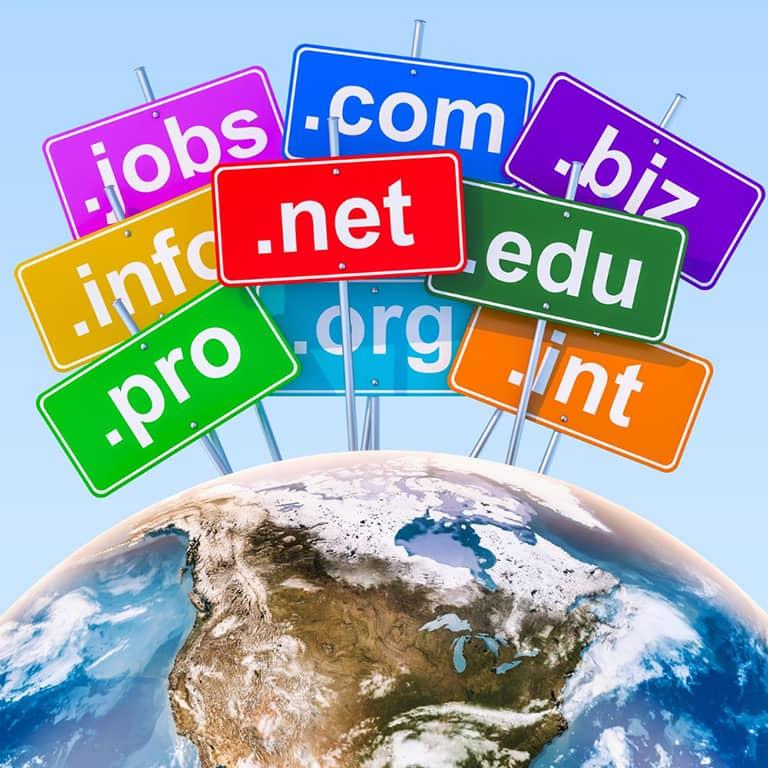
- Top-level domain (TLD) – the extension that follows the dot, like .com, .org, .net or a country code such as .uk, .mx.
There are global TLDs (for example .com and .net) and country or regional TLDs (for example .co.uk, .mx, .es). Which one to choose depends on brand, availability and audience. Remember that the TLD has only a small impact on search engine ranking. Title, content quality and SEO practice matter more than the extension.
Domains are also rented, not bought forever. Organisations such as ICANN coordinate domain registrations globally. Registrars and hosting companies sell and renew domain names for periods typically from one to ten years.
How hosting and domain work together 🔗
The simplest way to explain the relationship: the domain is the address, the hosting is the house. To make them work together you point the domain to the hosting. This normally happens through DNS settings:
- Nameservers: the registrar assigns nameservers (usually from your hosting provider). Changing the domain’s nameservers tells the DNS system to use your host’s DNS records.
- A records: point the domain (or subdomain) directly to a numerical IP address if you prefer manual control.
- CNAME records: point a name to another name (useful for subdomains and services).
Once DNS updates propagate, typing your domain will load the files from the hosting server. That is the core of the difference between hosting and domain — one stores files, the other directs users to those files.
Choosing the right domain extension and name 📝
Choosing your domain involves two main decisions: the second-level name and the TLD. Follow practical rules:
- Keep the name short, memorable and easy to spell. People remember brand.com far easier than brand-company-2025.com.
- When possible, choose a .com for global recognition. Use a country TLD if your business is local and the .com is unavailable.
- Avoid hyphens and confusing spellings that make the address hard to communicate orally.
- Check trademark databases if you plan to build a brand; avoid names that could infringe existing rights.
The choice of TLD has minimal effect on search ranking. A .mx or .co.uk may help slightly for local searches, but overall SEO weight comes from content, backlinks and technical optimisation. So when choosing between extensions, prefer what people will remember and trust.
Step 5: Buying hosting and domain (practical steps) 🛒
Step-by-step summary to buy and connect hosting and a domain:
- Decide the domain you want and check availability with a registrar or your chosen hosting company.
- Choose a hosting plan that suits traffic and resource needs. For small sites, a basic shared plan is fine; for growth, consider cloud or VPS.
- Register the domain for at least one year (you can usually register up to ten years). Keep renewal reminders and use a reliable registrar.
- Purchase hosting and set the domain during checkout if the provider offers a free domain with the hosting plan.
- Point the domain to the hosting nameservers or set an A record pointing to the server IP.
- Install your website — upload files, install WordPress or your platform of choice, and configure email if offered.
- Test by accessing the domain and checking pages, forms and email functionality.
Many hosting companies include a free domain for the first year when you buy hosting. If you prefer to separate services, buy the domain with one provider and host with another; just configure the DNS to point at the host. For those who need a reliable partner, domene.shop provides domain registration, fast hosting and 24/7 support to help set up nameservers and DNS records and get your site live quickly.
Maintain, renew and avoid common pitfalls ⚠️
Understanding the difference between hosting and domain helps you avoid common mistakes such as:
- Registering a domain but never pointing it to a host. You own the name, but it shows nothing until DNS points to hosting.
- Buying hosting and expecting the domain to automatically appear without registering or changing DNS settings. The domain and hosting are separate pieces that must be connected.
- Letting the domain expire because you registered it on a different account and missed renewal notices. Keep contact details up to date and set auto-renew where possible.
Maintenance tasks to schedule:
- Renew domain and hosting contracts before expiration.
- Keep website software updated and create regular backups.
- Monitor uptime and performance. If the host has frequent outages, consider migrating.
- Keep DNS records organised and document any changes. A wrong change can take your site offline.
When migrating hosts, remember to copy data, set DNS to the new server and keep both hosts active until DNS propagation confirms traffic is flowing to the new location. A short overlap prevents downtime.
Quick checklist before going live ✅
- Domain registered and contact details confirmed.
- Hosting plan purchased and server ready.
- DNS records configured: nameservers or A records set correctly.
- Website files uploaded and tested on the server.
- SSL certificate installed for HTTPS (security and search ranking).
- Professional email addresses configured if needed.
- Backups scheduled and a restore plan in place.
Following this checklist prevents most launch-day surprises. If you prefer to avoid technical setup, domene.shop offers managed services that include domain registration, hosting setup and continuous technical support 24 hours a day.
Frequently Asked Questions ❓
Can I install a website on a domain?
What happens if I register a domain but do not buy hosting?
Does the domain extension change my Google ranking?
How do I point my domain to my hosting?
Can I keep domain and hosting with different companies?
Why am I charged every year for my domain?
What if my chosen domain is not available?
Do I need email with my domain?
How long does DNS propagation take?
Which provider should I choose for hosting and domain?
Final thoughts 💡
Remember the core idea: the difference between hosting and domain is simple but important. The domain is the address people use; hosting is the place where the website lives. Both are essential for an online presence, and both are services you manage and renew.
Plan your name carefully, choose hosting based on expected traffic and features, and keep control of both services by documenting accounts, passwords and renewal dates. If you need help with selection or configuration, a reliable hosting partner can reduce technical friction so you can focus on building your product or service.
Use the checklist and FAQs above whenever you set up a new site. With this understanding you will avoid common mistakes and launch a stable, professional website faster.